Saturday, February 28, 2015

Download Torrent when Blocked

When you need some software or movie or game or any other file we usually search it on torrent. Just need some seeders to download without any issue. But many Companies & Institutes blocks torrent download to reduce web traffic. Sometimes torrents are the only way to get an file which is not available anywhere else. So here is the solution which I am using for more than one year....

 1.You will need a torrent file or magnet link to the "FILE" you want to download.
(i) If you can visit the torrent website than copy the magnet link
(ii) If the website is blocked than you have to visit using your mobile running internet on cellular network and copy magnet link and save it to your mailbox

2. Now visit ZbigZ.com and click on LOGIN/REGISTER

3. Paste the magnet link in the space provided OR if you have the torrent file that click Upload.
4. Click Go
5. Hit Free (left side option of the site)

6. Now your torrent is being downloaded on the ZbigZ server
7. When the file is downloaded either click on zip to download in compressed or click on the torrent (On the site) to download a particular part of the torrent.


For not ZbigZ.com only allows us to download files upto 1 Gb for free. In free account your torrent is saved on server for 7 days. But if you have some extra bucks in pocket than you can also purchase a time-limited license to remove torrent size limit.

Sunday, January 8, 2012

Free Download Original Windows 7 with SP1 from Microsoft Official Link

Four years before when i purchased an old PC i was asking some of my known persons to give me Windows XP cd so that i can reinstall XP but they refused. Today in my town i am well known for my largest collection of various software and Operating Systems. The best thing about these software are i have downloaded almost all of them. So today they asks me help out..
Many times you needs a OS Bootable cd/dvd to format your PC but you don’t have & your friend refuses to help. This is the time to make your own Windows 7 DVD without any deep knowledge, an Original Window DVD. Today I am posting Links to download Original Windows 7 ISO image. To install it in your pc you just have to burn that image on a DVD.
Visit the Links posted below & download the version according to your requirement…
windows-7-box-art2Windows 7 : 32bit :
Windows 7 SP1 : Ultimate : 32-bit
Windows 7 SP1 : Professional : 32-bit
Windows 7 SP1 : Home Premium : 32-bit 

Windows 7 : 64bit
Windows 7 SP1 : Ultimate : 64-bit
Windows 7 SP1 : Professional : 64-bit
Windows 7 SP1 : Home Premium : 64-bit

* You will get Original Windows 7 SP1 ISO image from Microsoft Server
* After Installing you will get standard Windows 7 Trial

Friday, January 6, 2012

Update / Install PC Driver : Free Download

Sometimes we formats our pc or reinstalls Windows XP in it than we usually needs various drivers. Most of peoples use driver cd for this task but what happens when CD becomes too much old with lots of scratches or what if you lost your PC’s driver CD & you don’t have any backup. Many of us felt this problem in our life. To update your PC’s drivers you have to know the model number & many more things about your PC. There are many software available in market which claims to update your PC drivers but some of them are fake and Most of them are PAID. Today I am writing this POST about a small software “SLIM DRIVERS”

Install Slim Drivers in your PC, connect to Internet & let it do the rest. Slim Driver searches thee database & downloads the best & Latest driver for your system hardware. It gives you option to chose which driver a to be downloaded & updated. It provides you an option to backup your current installed drivers. And the most important thing about this software is it is TOTALLY FREE.

Visit the following link & download Slim Driver

Enjoy……………………….

Thursday, January 5, 2012

Network Activity Indicator / Internet Activity Indicator

Internet connections in India increasing with faster speed. There are two types of Plan available Limited or Unlimited. If you are using Unlimited Internet Plan than there is no problem about The data transferred but if you are connecting to internet with limited internet plan than you have to take care about the data spend. Most of internet users using limiter data internet plans it doesn't matter by which way or provider. If you are one of them than Network Activity Indicator is perfect one software for this task.

Network Activity Indicator is a little tool which will keep an eagle eye on your data use. It runes in in system tray & looks like normal LAN or internet connection indicator.

Download Network Activity Indicator

Wednesday, January 4, 2012

Internet Download Manager (IDM) : Free Full Version Download with Key

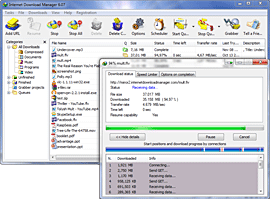
Downloading files from internet is hard work and if files are Large &/or Internet connection is slow than we need pause facility. Another one thing is we wants to download file as fast as possible. There are many software in market to do the job but few are capable to fulfill our download speed hunger. One of the best & award winning Download Manager is Internet download manager also known as IDM.
 Internet Download Manager (IDM) is a tool to increase download speeds by up to 5 times, resume and schedule downloads. Comprehensive error recovery and resume capability will restart broken or interrupted downloads due to lost connections, network problems, computer shutdowns, or unexpected power outages. Simple graphic user interface makes IDM user friendly and easy to use.Internet Download Manager has a smart download logic accelerator that features intelligent dynamic file segmentation and safe multipart downloading technology to accelerate your downloads. Unlike other download managers and accelerators Internet Download Manager segments downloaded files dynamically during download process and reuses available connections without additional connect and login stages to achieve best acceleration performance.
Internet Download Manager supports proxy servers, ftp and http protocols, firewalls, redirects, cookies, authorization, MP3 audio and MPEG video content processing. IDM integrates seamlessly into Microsoft Internet Explorer, Netscape, MSN Explorer, AOL, Opera, Mozilla, Mozilla Firefox, Mozilla Firebird, Avant Browser, MyIE2, and all other popular browsers to automatically handle your downloads. You can also drag and drop files, or use Internet Download Manager from command line. Internet Download Manager can dial your modem at the set time, download the files you want, then hang up or even shut down your computer when it's done.
Other features include multilingual support, zip preview, download categories, scheduler pro, sounds on different events, HTTPS support, queue processor, html help and tutorial, enhanced virus protection on download completion, progressive downloading with quotas (useful for connections that use some kind of fair access policy or FAP like Direcway, Direct PC, Hughes, etc.), built-in download accelerator, and many others.
So today I am presenting you Internet Download Manager with fully working key Generator & patch go to link posted below & enjoy breaking the speed limit……
 
Download Internet Download Manager (IDM) Free Full with Key

Get Email Alert when You / Your Data are published on Internet

GoogleSome of us love to always be on Internet and hides themselves. I am trying to be in top 10 of GOOGLE search results. But how to know that who is searching me / you on internet or who is publishing our personal data on internet. Google understands us so they started a service “Me on the Web” lovely & useful one.

Under “Me on the Web” service google sends us alert our personal information like name, email address or phone number gets published online. Want to know how it works, just follow these instructions------------

Go to this link Google Dashboard and login with your google account

Click on "Set up search alerts for your data" link in  "Me on the Web" section

than fill your information if you want to get alert on more information than click on Add Alert

Now click on save & its done

Enjoy & post comment………………….

Monday, January 2, 2012

Windows 8 : Download & Installation

Windows 8 is one of the most awaited operating system form Microsoft due to its faster Booting & much more rich Visuals. Touch support in PC is demand of new generation we can tell that it is starting of TAB PC Era That's why Microsoft extended touch support in every windows to every corner in Windows 8. To provide batter touch experience Microsoft providing Windows 8 Developer Preview to make market full of Windows 8 application before it’s official launching for everyday users. But as all of us can’t wait for launching we can test Windows 8 Developer Preview in our PC with some precautions.
Here are the direct download links for windows 8 Developer Preview from Microsoft official server
Windows 8 Developer Preview with developer tools : English : 64 Bit : 4.8 GB
Windows 8 Developer Preview : English : 64 Bit : 3.6 GB
Windows 8 Developer Preview : English : 32 Bit

System Requirements

The Windows 8 Developer Preview works great on the same hardware that powers Windows Vista and Windows 7:
  • 1 gigahertz (GHz) or faster 32-bit (x86) or 64-bit (x64) processor
  • 1 gigabyte (GB) RAM (32-bit) or 2 GB RAM (64-bit)
  • 16 GB available hard disk space (32-bit) or 20 GB (64-bit)
  • DirectX 9 graphics device with WDDM 1.0 or higher driver
  • Taking advantage of touch input requires a screen that supports multi-touch
  • To run Metro style Apps, you need a screen resolution of 1024 X 768 or greater

Download version according to your needs & Enjoy

Sunday, January 1, 2012

Angry Birds Boot Screen for Windows XP

Angry Birds is just not only a game. Most of us will love to make our pc look like Angry Birds. I have replaced Xp classic boot screen with New Angry birds Boot screen  in my pc & now my friends are asking to do the same in there PC. I am Posting  you link to download this Beautiful Boot screen. Don't worry about it's installation just download the compressed file & extract than open it with Tune Up Utility than apply & Enjoy............... 


I have posted before about how to get TuneUp Utility free License
Download Angry Birds Boot Screen

Facebook Massenger for Windows 7

Love to chat on Facebook, me too but it hesitates to chat in browser window. There are some chat clients available for windows platform but creating Ids and managing accounts is another problem. But now Facebook team has released the official Facebook Messenger for Windows users.
Facebook Messenger is a chat client for Windows which allows you to chat with your Facebook friends without going to Facebook website using a web browser or using unofficial chat client. It is just like the Gtalk or Yahoo messanger.

With this chat client you can

  • Chat and message with your friends on Facebook
  • See the latest updates & notifications
Download Facebook Massenger

FAQ regarding Facebook Massenger (Official Site)

Monday, December 12, 2011

TuneUp Utilities Free Giveaway

TuneUp Utilities is One of the best system care suite. All the functions that we need to make our system faster are available in this but problem is TuneUp Utilities is PAID and trail function is only for 15 days.

Solution is there just go to this link
FREE License Code of TuneUp Utilities Full Version
and fill few details than you will receive a mail to get code of TuneUp Utilities
than go to this link & download TuneUp Utilities 2010

Tuesday, September 13, 2011

Hide private Files & Folders with Command Prompt

  The most beautiful thing of using this method is anyone cannot find hidden files even after clicking "Show Hidden Files and Folders". Most of us have some Private & Important Files & Folders which we don't want to show everyone. For this I am bringing you a trick which will help you to hide your files & folders without using any paid or unpaid software. Just follow these few steps............
1. Open Command Prompt
                                          (i) Open RUN from START menu than type CMD & press ENTER
                                             [ On desktop Press WINDOW key + R for RUN dialog box ]
 or         (ii) You can find the COMMAND PROMPT under START menu than ALL PROGRAMS than
                  ACCESSORIES 
2.  Now type "attrib +s +h D:\PHOTOS" and hit enter.
      [ There PHOTOS is a folder located in D:\ drive which you want to hide ]
3. To make the folder Unhidden  just type 
                                   "attrib -s -h D:\PHOTOS"
in Command Prompt
   [ To make the folder Unhidden we are replacing both of the " + " marks with " - " marks before " s " & " h "


Saturday, August 20, 2011

DSL [ Digital Subscriber Line] : An Introduction

          DSL stand for Digital Subscriber Line. DSL provides high speed on already exiting telephone lines and same time you can use internet and as well as your line for phone. In DSL, both ends of connections require  the network cards and DSL modems for data communication.
             Your DSL connection to the Internet will always on, there is not need to dial your ISP each time  to use internet. DSL is much easier to install and provides much faster data transfer rate. Its data transmission speed start from 128 Kbps up to 10 Mbps. DSL connections are more useful in applications like videoconferencing, to run online movies and upload and download heavy files. There are different flavors of  DSL like ADSL, R-ADSL, HDSL, SDSL, and VDSL.

Connect laptop and cell phone via Bluetooth


           We can use Bluetooth technology to connect laptop and cell phone. We can move videos, images, photos etc from  desktop computer or a laptop to our cell phones. In order to use Bluetooth technology to connect laptop and cell phone we need a laptop and a cell phone which support this technology. Try
webhosting
If the laptop doesn't support it, we can use a USB Bluetooth dongle.  Just plug it into the USB port of the desktop computer or laptop. Leave the rest to Microsoft Windows. It will find the driver and install it itself.  If it is not supported, we can manually install it via the manufacturer's compact disk. Follow these simple steps in order to use Bluetooth technology to connect laptop and cell phone: (In this example, we are using Windows Vista.)
 Turn on the Bluetooth feature on your cell phone.
 Make this setting:  my Phone's visibility -> Shown to all on the cell phone.
Open Bluetooth Devices by clicking on its icon in the Control Panel.
OR
Look for the Bluetooth driver in the Device Manager and double-click on its icon.
Click on the Add button in Bluetooth Devices dialog box.
Check the box for "My devices is set up and ready to be found" in the Add Bluetooth Device Wizard dialog box.
Click on the Next button.
This device wizard will display the name of the found Bluetooth device close by.
Click on the device name that you would like to add and click on Next.
Select "Let me choose my own key" or "Choose a passkey for me" and click on Next.
It will now display the passkey. Key this into the cell phone. Now the laptop is initiating to install the Bluetooth device. (Click Yes as you see the prompt message on the cell phone to allow connection with the laptop.)
Click on the Finish button to close the dialog box of Add Bluetooth Device Wizard.
The Bluetooth device (the cell phone) is now displayed in Bluetooth Devices dialog box. Select the Bluetooth device and click on the Properties button.
The Properties dialog box for the device will become visible. Choose the Services tab.
Check the boxes for the services you want.
In the end you can launch the items of the cell phone.  Transfer photos, videos etc to cell phone via Bluetooth technology.
This method can also be used to connect laptop to Bluetooth devices like Bluetooth mouse, Bluetooth keyboard, Bluetooth headset, etc.

Windows Shortcuts

Action                                                                                       Shortcut keys


Change the font                                      CTRL+SHIFT+F

Change the size of font                            CTRL+SHIFT+P

Change the case of letters                        SHIFT+F3
Increase the Font Size                             CTRL+SHIFT+>

Decrease the font size                             CTRL+SHIFT+<

Increase the font size by 1-point               CTRL+]

Decrease the font size by 1-point              CTRL+[

Close the active item                               ALT+F4

Format letters as all capitals                     CTRL+SHIFT+A

Apply or remove bold formatting                CTRL+B

Apply or remove underline                        CTRL+U

Change the selection to symbol font          CTRL+SHIFT+Q
Minimize all windows                               Windows logo key+M

Underline single word                              CTRL+SHIFT+W

Double underline text                              CTRL+SHIFT+D

Find Files or Folders                               WINDOWS+F
Apply italic formatting                             CTRL+I


Apply or remove hidden text                    CTRL+SHIFT+H
Format letters as small capitals                CTRL+SHIFT+K

Apply automatic spacing                         CTRL+=

Remote formatting in plain text                 CTRL+SHIFT+Z

Cancel the current task                          ESC
Display nonprinting characters                 CTRL+SHIFT+*


http://www.facebook.com/#!/pages/TicTech/183218391746078?sk=wall
Mail me your problems..............................

Mathods of Computer Virus Transfer


  • Now- a-days, most of the viruses spread due to receiving unknown e-mail messages that contains viruses. When a user opens such an infected message, the virus is also loaded into the computer memory. In this way, many other program files loaded into the memory are infected. This virus is also transferred to other computers when e-mail messages are sent from the infected computer to them. Due to these viruses, some time an auto generated email message from your email ID sends to your friends from your side with different virus messages. Never open unknown and attractive subject line email messages, always scan first even if you know the sender of the message. 


  • Another way of spreading virus is by using Internet and other networks. For example, when you download infected executables files or data files from the Internet or from a shared disk on the network, viruses are transferred to your computer. It must be noted that many software are available on the Internet with free of cost. Most of that software contains viruses, for example free PHP or ASP scripts are the main source of virus, always get these scripts from reliable sources. In an LAN, if a computer contains a virus, then all the computers on the network may be infected with that virus.  


  • One important means of exchanging data is through the use of removable media like, CDs, MP3 player, ipod and flash devices. So, when you copy the data from one computer to another by using a removable media, the viruses are also transferred. 


  • The virus can also infect your computer by using pirated software. The software, which is installed into your computer without license is referred to as pirated software. Some companies may intentionally attach some virus programs into their software. This program will only activate when it does not find some special files like license files on your computer.


    http://www.facebook.com/#!/pages/TicTech/183218391746078?sk=wall 


  • Wednesday, August 17, 2011

    All PC Drivers

                    Many of Companies selling windows vista & windows seven (7) installed Notebooks. But the visual features of seven slow down our pc. Some of us still wants to be with Windows Xp the most Lovely, Fast, User Friendly Operating System. But the main & biggest problem is how to find perfect driver for our PC. Companies isn't providing drivers compatible with Xp for the seven installed PCs.
                    I understand this problem & i have faced it. but i got the solution a website which provides all drivers in .RAR compressed folder. Try it..............

                                                       http://driverpacks.net/

                   Soon i will give u method to integrate all drivers in a single Windows Xp CD/DVD to make a Master cd. which will install all the required drivers during XP installation.
               
    KEEP IN TOUCH WITH ME
                                                                      SEND YOUR QUIRES ON MY MAIL

    Sunday, October 24, 2010

    Speed up the Start Menu

    You can use this tip to speed up the Start Menu in Windows XP release candidate 1. You can customize the speed of the Start Menu by editing a Registry Key.
    1. Click Start, and then click Run.
    2. Type Regedit in the box, and then click OK.
    3. Expand the menu in the left panel and select the HKEY_CURRENT_USER\Control Panel\Desktop folder.
    4. Scroll down in the right panel and double click on the MenuShowDelay file.
    5. In the Value Data box, change to default value for the menu speed from 400 to a lesser number, such as 1.
    6. Click OK.
    Caution: Incorrectly editing the registry may severely damage your system. Before making changes to the registry, you should back up any valued data on your computer.

    Master Key For Windows Xp SP2 & Sp3

    Now enter this key & Install Windows Xp

    it works on almost all versions

    HRXTR-FKTCV-X8QCH-D7PTH-KYYPB

    A Windows XP shutdown icon on your desktop

    • Right-click an empty space on your desktop
    • Select the option "new shortcut"
    • Type "shutdown -s -t 0" (Exactly as shown here, but without the quotes. The last character in the command is a zero.)
    • Click next
    • Type a name for the shortcut (e.g. Fast shutdown) and click finish
    Now you have a new icon on your desktop. Let's customize it some more.
    • Right-click the new icon and select properties.
    • In the dialog box that opens up, click change icon.
    • You may see a warning message that shutdown.exe contains no icons, just click ok if you see this
    • Choose a new icon
    You are now ready to test your new Windows XP shutdown button. Make sure to close all applications and double-click your new icon to shutdown your computer.
    Once the shutdown mechanism is started, there is only one way to stop your machine from going down. That's what the next part is all about.

    SAMSUNG Mobile Secret Codes

    * Use at Own Risk
    Samsung Codes

    You can try these in case you downloaded corrupted or incompatible Java midlets or other media, which are causing problems with the phone.

    *2767*JAVA# Java Reset and (Deletes all Java Midlets)

    *2767*MEDIA# Reset Media (Deletes All Sounds and Pics)

    *2767*WAP# Wap Reset

    *2767*CUST# Reset Custom EEPR0M

    *2767*FULL# Reset Full EEPR0M (Caution)

    For example : *2767*JAVA# would be keyed in as *2767*5282#

    Note : Not all codes will work with SGH-C100.


    Other Samsung Codes


    *#06# IMEI code

    *#9998*4357# Help Menu

    *#9998*5282# Java menu (GRPS/CSD settings for JAVA server)

    *#9999#0# Monitor Mode

    *#9999# or *#9998*9999# Software Version

    *#8888# or *#9998*8888# Hardware Version

    *#9998*746# or *#9998*0746# or *#0746# Sim Infos

    *#9998*523# or *#9998*0523# or *#0523# Display Contrast

    *#9998*842# or *#9998*0842# or *#0842# Vibration On (until you push OK)

    *#9998*289# or *#9998*0289# or *#0289# Buzzer On (until you push OK)

    *#9998*288# or *#9998*0288# or *#0288# Battery & Field Infos

    *#9998*377# or *#9998*0377# Error log

    *#9998*778# or *#9998*0778# or *#0778# Sim Service table

    *#9998*782# show date and alarm clock

    *#8999*638# show network information

    *#9998*5646# change operator logo at startup

    *#9998*76# production number

    *#9998*968# view melody for alarm

    *#9998*585# Non-Volatile Memory (NVM)

    *#3243948# Digital Audio Interference Off

    *#32436837# Digital Audio Interference On

    SAMSUNG T100 SECRET CODES

    *#06# -> Show IMEI
    *#9999# -> Show Software Version
    *#0001# -> Show Serial Parameters

    *2767*3855# -> Full EEPROM Reset ( THIS CODE REMOVES SP-LOCK!!!! but
    also
    change IMEI to 447967-89-400044-0, you must use CHGIMEI to
    restore it)
    *2767*2878# -> Custom EEEPROM Reset

    *#8999*228# -> Battery status (capacity, voltage, temperature)
    *#8999*246# -> Program status
    *#8999*289# -> Change Alarm Buzzer Frequency
    *#8999*324# -> Debug screens
    *#8999*364# -> Watchdog
    *#8999*377# -> EEPROM Error Stack
    *#8999*427# -> Trace Watchdog
    *#8999*523# -> Change LCD contrast
    *#8999*544# -> Jig detect
    *#8999*636# -> Memory status
    *#8999*746# -> SIM File Size
    *#8999*778# -> SIM Service Table
    *#8999*785# -> RTK (Run Time Kernel) errors
    *#8999*786# -> Run, Last UP, Last DOWN
    *#8999*837# -> Software Version
    *#8999*842# -> Test Vibrator
    *#8999*862# -> Vocoder Reg
    *#8999*872# -> Diag
    *#8999*947# -> Reset On Fatal Error
    *#8999*999# -> Last/Chk

    *#8999*9266# -> Yann debug screen (=Debug Screens?)
    *#8999*9999# -> Software version

    *0001*s*f*t# -> Changes serial parameters (s=?, f=0,1, t=0,1)
    (incomplete)
    *0002*?# -> unknown
    *0003*?# -> unknown


    SAMSUNG V200 SECRET CODES
    v200 Unlock Code-> *2767*7822573738#

    *#9324# Netmon (press the hangup key to exit)
    *#9998*JAVA# Edit GPRS/ CSD settings (S100 Only)
    *#9998*Help# Help screen/ List of codes
    *#9998*LOGO# Change operator Logo
    *#9998*RTC# RTC Display
    *#9998*Bat# Battery Status
    *#9998*Buz# Turns Buzzer ON
    *#9998*Vib# Turns Vibrator ON
    *#9998*LCD# LCD Contrast
    *#9998*9999# Softwre Version
    *#9998*8888# Hardware Version
    *#9998*377# NVM Error Log (?????)
    *#9998*NET# SIM Network ID
    *#9998*778# SIM Serv. Table
    *#9998*SIM# SIM Info
    *#9998*PN# Production No.
    *#9998*968# Reminder Tune
    *#9998*NVM# Displays Non-Volitile Memory Status
    *#9999*C# ???????????????????
    *#06# Displays phones I**I No.

    *#9998*2576# Forces SIM Error
    *#9998*DEAD# Forces Phone Crash
    *2767*MEDIA# Resets the medis on the phone (deletes all downloaded
    pics/tones)
    *2767*FULL# Resets the EEPRON *DANGEROUS*
    *2767*CUST# Resets the Custom EEPRON
    *2767*JAVA# Resets JAV downloads (deletes all downloaded midlits)
    *2767*STACKRESET# Resets Stack
    *2767*225RESET# ????????????????? * Dangerous *
    *2767*WAP# Resets WAP Setting & Deletes Favorites


    SAMSUNG A800 SECRET CODES
    The universal unlock code is *2767*637# do this with out your sim in